
I have already covered SaaS landing page best practices in my previous tutorial. In this article, I want to take a closer look at SaaS pricing page design. My aim is to explain why a SaaS pricing page is more than just a table of prices. It plays an important role in helping users understand their options and choose the right plan for their needs.
What Makes a Good SaaS Pricing Page?
A good SaaS pricing page does more than display prices and subscription plans. It helps potential customers understand what each plan offers, compare their options, and decide which one best fits their needs.
The goal is to make the decision as straightforward as possible. Visitors should be able to understand the differences between plans, know what they will pay, and see what happens when they choose a plan. If important details are unclear or difficult to find, they may hesitate or look for alternatives.
There is no single layout that works for every SaaS product. Some products benefit from a simple set of pricing cards, while others need detailed feature comparisons or custom plans for larger teams. The right approach depends on the product, its pricing model, and the people using it.
Simple plans. Clear value.
Everything you need to grow your workflow.
Starter
For individuals
- 5 projects
- Basic analytics
- 10 GB storage
- Email support
Pro
For growing teams
- Unlimited projects
- Advanced analytics
- 100 GB storage
- Priority support
No hidden fees. Upgrade or cancel anytime.
SaaS Pricing Page Design Best Practices
A well-designed SaaS pricing page should make it easy for potential customers to understand their options and decide which plan fits their needs. However, adding more information or following familiar design conventions does not automatically make the decision easier. Here are some UX principles worth considering when designing a pricing page.
Keep the Pricing Page Easy to Scan
One recurring concern in UX design discussions is information overload. When pricing pages contain too many features, labels, pricing conditions, and other details at once, users may struggle to understand the main differences between plans.
In an online discussion about a complex pricing page, one designer suggested presenting the main information in a more compact format and providing a detailed breakdown further down the page. Slack’s pricing page was mentioned as an example of this approach.
The underlying principle is to prioritize the information users need to make an initial decision. More detailed feature descriptions can remain available for visitors who want to compare their options more closely.
Make Plan Differences Easy to Understand
Users should not have to compare long lists of features to discover what they get by upgrading. If several plans share the same core features, repeating every feature in every plan can make the comparison unnecessarily difficult.
One approach discussed by UX practitioners is to explain what each higher tier adds to the previous one. For example, a Pro plan might include everything in the Basic plan, plus advanced analytics and team collaboration features.
This approach can reduce repetitive information and make the differences between plans easier to understand. However, it works best when the relationship between tiers is genuinely cumulative. If plans offer different features for different types of users, a more explicit comparison may be necessary.
Help Users Choose the Right Plan
A pricing page should do more than list features and prices. It should also help visitors understand which option is most suitable for them.
In an online discussion about SaaS pricing pages, a UX practitioner suggested explaining which audience each plan serves. For example, a plan could be described as suitable for freelancers, small teams, or growing businesses.
This provides more useful context than simply labelling a plan as “Popular.” A recommendation should ideally explain why a particular plan suits a specific audience or use case.
The goal is not just to encourage users to choose a more expensive option. It is to help them understand which plan offers the features and capacity they actually need.
Should You Highlight the Middle Pricing Plan?
Many SaaS pricing pages visually emphasize their middle plan. One possible explanation comes from the Centre-Stage Effect, a phenomenon studied by researchers Paul Rodway, Astrid Schepman, and Jordana Lambert.
In their 2012 study, Preferring the One in the Middle: Further Evidence for the Centre-stage Effect, participants tended to prefer items positioned in the centre of an arrangement rather than at either end. The researchers observed this preference with images arranged horizontally and vertically, as well as with physical items.
This research suggests that an item’s position can influence preference. In a pricing interface, the middle option may therefore attract attention or appear more appealing simply because of its placement.
However, the study did not directly test SaaS pricing pages or subscription conversion rates. It should not be treated as proof that highlighting the middle plan will always increase sales.
Instead, consider whether emphasizing a particular plan genuinely helps users identify an appropriate option. If you want to determine whether a highlighted plan improves results, test it with your own audience.
Don’t Force Every Product Into Three Pricing Tiers
Three-tier pricing has become a familiar pattern, but it is not a universal requirement.
In a Reddit discussion titled “Anyone else tired of the 3-tier pricing page?”, UX practitioners questioned why some products use three plans even when the differences between them do not clearly reflect customer needs.
The number of plans should depend on the product, its pricing model, and the different types of customers it serves. Some products may need several tiers to accommodate individuals, teams, and enterprise customers. Others may work better with a single paid plan, a free option and one upgrade, or custom pricing.
Rather than starting with a familiar layout and trying to fit the product into it, begin by identifying the meaningful differences between your offers. The design should make those differences clear without introducing unnecessary complexity.
Choose your workspace
Select a plan to explore what’s included.
Growth
More flexibility for growing teams.
What’s included
- Unlimited projects
- Advanced analytics
- 50 GB file storage
- Priority email support
- Team collaboration
Essential SaaS Pricing Page Design Patterns
SaaS pricing pages use different UI patterns to present subscription plans, explain pricing options, and help visitors compare features. The right combination depends on how the product is priced and how much information users need before making a decision.
Here are some common patterns worth considering when designing a SaaS pricing page.
1. Place CTA Buttons Near the Price
A call-to-action button does not always have to sit at the bottom of a pricing card. In a Reddit UX design discussion, one designer suggested placing the CTA directly below the price and above the feature list.
This allows visitors who already understand the offer to take the next step without scanning every feature first. Those who need more information can continue reading the benefits below.
2. Use a Clear Monthly and Annual Pricing Selector
A monthly and annual billing selector allows users to switch between payment options without navigating to another page. Place it close to the pricing plans and make the billing period clear next to the displayed price.
If annual billing offers a discount, explain the saving in a way users can easily understand. Avoid making visitors calculate the difference themselves or guess whether the displayed amount represents a monthly or annual payment.
3. Combine Pricing Cards With a Feature Comparison Table
Pricing cards work well for presenting the key differences between plans. However, they can become difficult to scan when every feature is listed in every card.
A useful alternative is to show a short list of highlights in each card, followed by a detailed comparison table further down the page. This gives visitors a quick overview while still allowing them to investigate individual features.
4. Use Accordions to Organize Additional Features
If a pricing card contains too many features, consider displaying the most important items first and hiding secondary details behind an expandable section.
Labels such as “Show all features” or “View full comparison” make it clear that additional information is available. However, avoid hiding details that users need to understand the price, limitations, or differences between plans.
5. Add Trust Information Near the CTA
Short notes near a call-to-action button can answer common questions before users commit. Depending on the product, these might include trial duration, whether a credit card is required, or how cancellation works.
Keep these details accurate and easy to find. A reassurance message is only useful if it clearly explains the actual terms.
6. Design the Pricing Comparison for Mobile
A feature comparison that works on a desktop screen can become difficult to use on a phone. Multiple columns may become too narrow, while long feature descriptions can make the table difficult to scan.
Consider how users will compare plans on smaller screens. Depending on the amount of information, you might use stacked plan cards, expandable feature groups, or a carefully designed horizontally scrollable table.
7. Add a Pricing Calculator When Costs Depend on Usage
Some SaaS products charge according to the number of seats, usage volume, credits, or other variables. In these cases, a pricing calculator can help visitors estimate their likely costs before signing up.
For simpler products with fixed subscription prices, a calculator may add unnecessary complexity. Use it when it answers a real pricing question that a static price list cannot address.
How to Optimize a SaaS Pricing Page for Conversions
Optimizing a SaaS pricing page is not just about getting more people to click a CTA or sign up for a free trial. The goal is to help the right customers understand the offer and take the next step.
Focus on Meaningful Conversion Metrics
A pricing page that convinces more visitors to start a free trial does not necessarily generate more paying customers. Some users may sign up but never use the product or upgrade to a paid plan.
For this reason, conversion optimization should reflect the goals of the SaaS business. Depending on the product, useful metrics might include trial-to-paid conversion rate, completed subscriptions, or revenue generated by new customers.
Rather than focusing exclusively on clicks, evaluate whether changes to the pricing page lead to meaningful business outcomes.
Test and Measure Your Changes
Instead of assuming that a particular headline, pricing presentation, or CTA will perform better, test different versions and measure the results. Track what happens beyond the initial click, including sign-ups and paid conversions.
The most effective design is not necessarily the one that attracts the most attention. It is the one that helps the intended audience make an informed decision and supports the product’s business goals.
SaaS Pricing Page Example
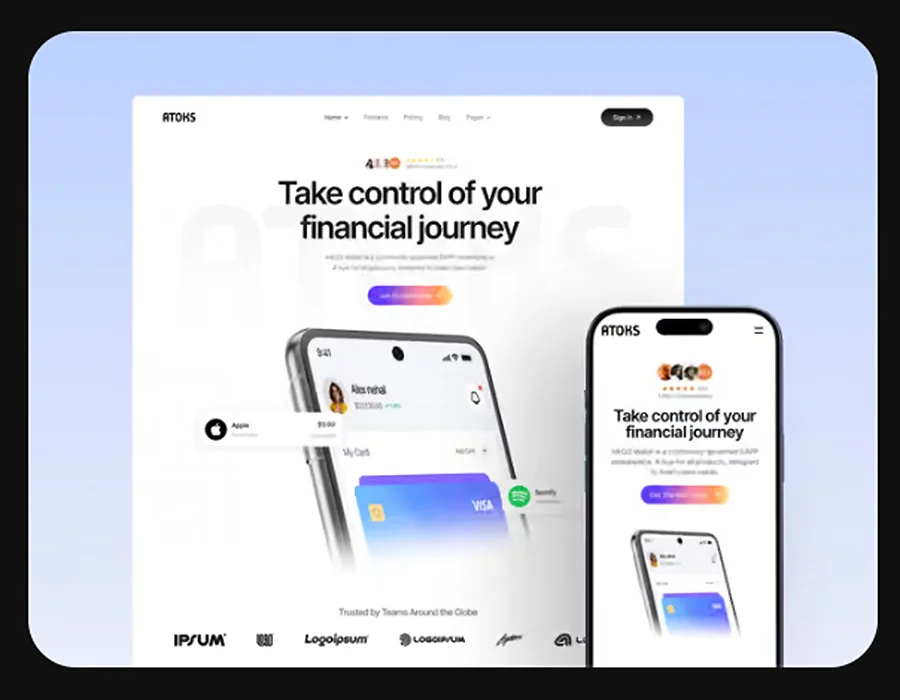
Looking at real SaaS pricing pages can help you explore different ways to present subscription plans and help users compare their options. The Atoks Framer template offers an interesting alternative to traditional pricing cards. Instead of displaying plans in side-by-side columns, it lists them one below another and reveals the selected plan’s details and CTA in a separate panel. Explore this template if you want inspiration for a less conventional SaaS pricing page layout.
SaaS Pricing Page Dark Mode Examples
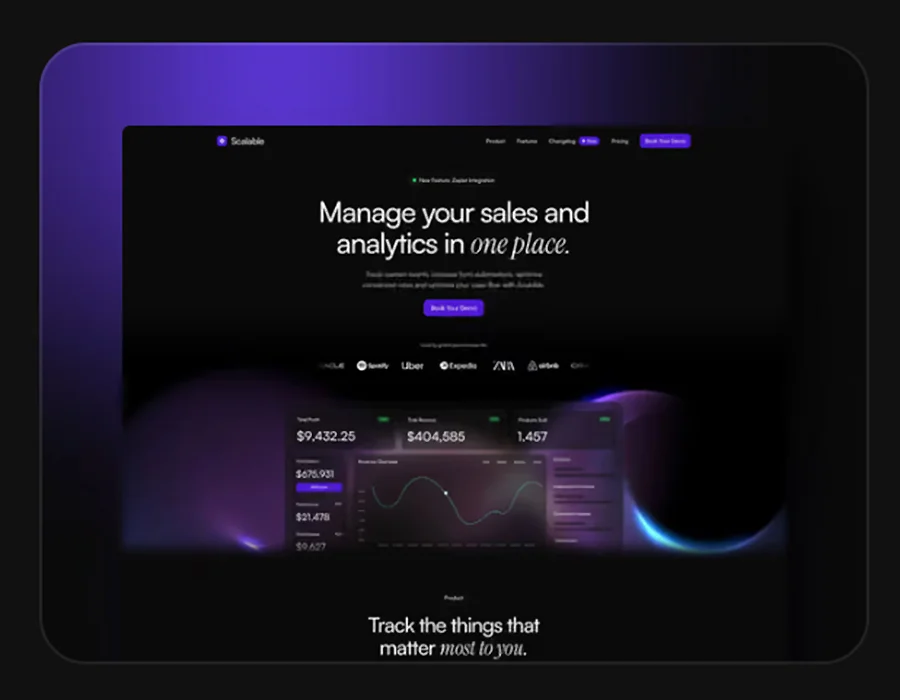
Dark mode can give a SaaS pricing page a distinctive look while keeping the focus on plan details and calls to action. The Scalable Framer template is a good example of this approach. Its pricing section places two plans, Standard and Pro, side by side, making it easy to compare their prices and included features.
Each plan features a CTA button above the list of included features, allowing visitors to take action before reading the full breakdown. The Pro plan builds on the Standard offering by adding more advanced tools and capabilities. A monthly and annual billing selector, with a clearly highlighted annual saving, is placed above the plans with information about savings for annual plan.
Final Thoughts
Designing an effective SaaS pricing page requires more than choosing a layout and displaying subscription prices. You need to make the available plans easy to understand and help visitors decide which option best suits their needs.
One useful way to improve your approach is to study successful SaaS pricing pages and compare them with one another. Look at how different products organize their plans, communicate value, present feature differences, and place their CTAs. Consider what works well for each audience and which ideas could make sense for your own product.
Rather than copying a single design, use these examples to identify patterns and adapt them to your product, pricing model, and business goals.