
A website isn’t just images and text. It includes many other elements you might overlook or forget to include on your site. Website elements such as CTAs, breadcrumbs, search fields, and social proof are just a few examples. These elements serve different functions and can help visitors navigate, interact with, and trust your website.
This article explains different types of website elements, including essential, common, trust-building, interactive, and e-commerce elements. Not every website needs every element. The goal is to choose the elements that support the purpose of your website.
You can use this article as a checklist or an inspiration guide. Choose the elements that are relevant to your site and fit its goals. The examples throughout this article are screenshots from my Agape Wedding Photography Carrd template.
What Are Website Elements?
Website elements can be defined as parts of a site that serve a specific purpose. They can be visual, contextual, navigational, interactive, or functional.
These elements can be divided into the following categories:
- Common elements – header, footer
- Visual elements – images, icons, colors, typography
- Trust-building elements – testimonials, reviews, trust badges
- Navigation elements – menus, links, breadcrumbs
- Interactive elements – buttons, forms, search fields, sliders
- E-commerce elements – shopping cart, product filters, checkout
Some website elements can have more than one function. For example, a website button can be a visual, interactive, and navigational element.
Website Element vs. Page Section
Sometimes people can confuse these two different terms. A page section is a larger area of a webpage that can contain several website elements. For example, you can have a hero section on a page that includes elements such as a heading, CTA, image, and navigation.
On the other hand, some website elements are present on nearly every website on the web, apart from some hobby or art-based web design projects. Other elements depend on the type of site you are building and what you want visitors to do.
Essential Website Elements
When you look at many websites or website templates built with commercial intent, you can spot some common sections and website elements. They usually help visitors navigate the site, provide information, find what they need, and take action. The final combination usually depends on the type of site you are building, but here are some of the most essential ones.
Header and Navigation
This part of the site usually contains elements such as a logo or brand name, a main navigation menu, important links, CTA buttons, a search field, and mobile navigation or a hamburger menu. It doesn’t have to be complicated or take up a lot of space.

Hero Section
This section is the first larger part of the page that visitors see after the header and navigation. You will often find a headline, short supporting text, a CTA button, and a visual element such as an image, video, or carousel. The hero section doesn’t have to look the same on every website. For example, if you are building a very minimalist site, you can make it as simple as possible.

Main Content
This is the main part of the site where you share your content. It is usually structured with paragraphs, headings, images, videos, buttons, and lists. A clear content hierarchy helps visitors understand what the site is about and what it offers.
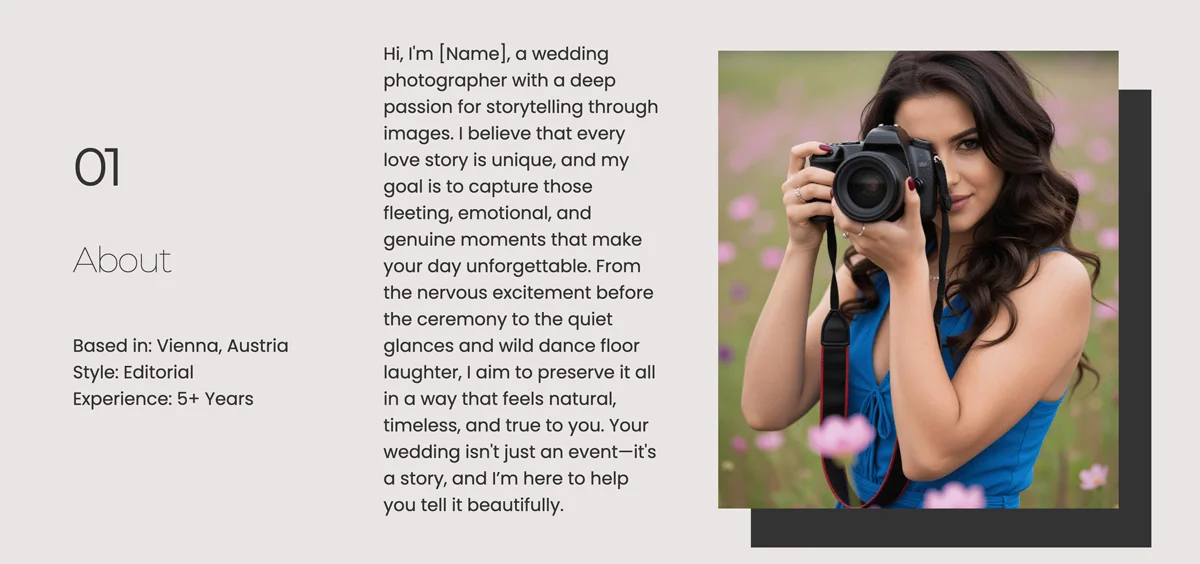
Call-to-Action (CTA)
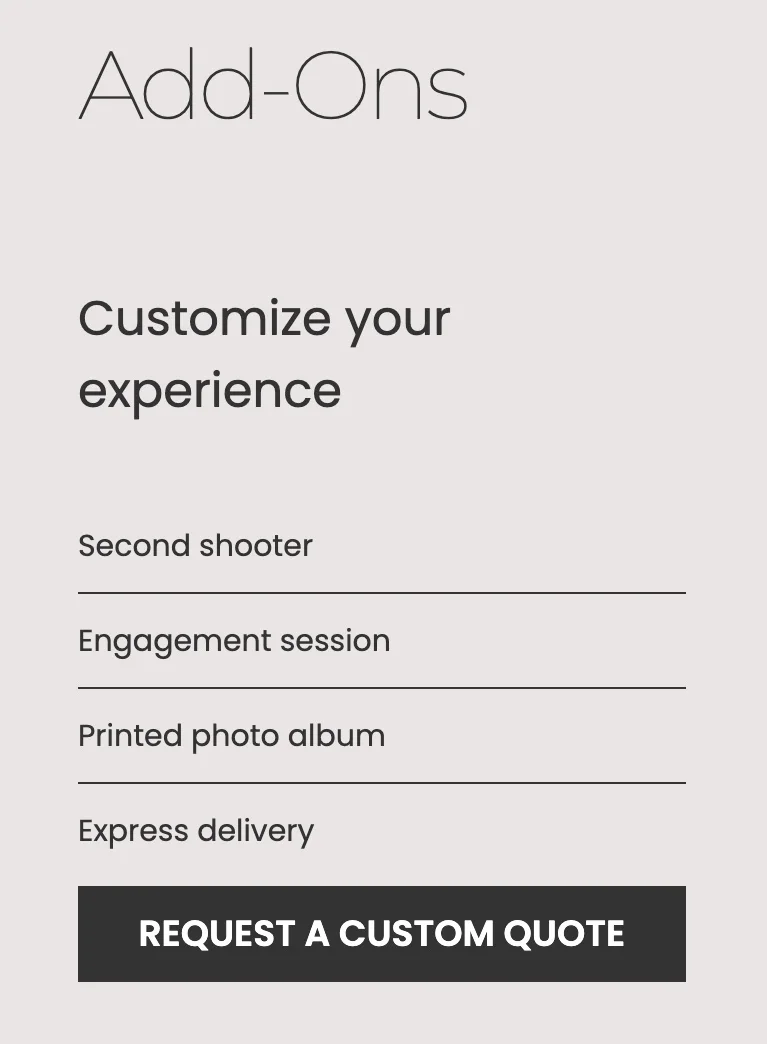
CTA buttons or links are another essential element on many sites. They encourage users to take a specific action, such as Shop Now, Contact Me, or View My Portfolio. Your CTAs should follow the purpose of your site. In some cases, other visual elements can also work as CTAs, such as a clickable image or product card.
Footer
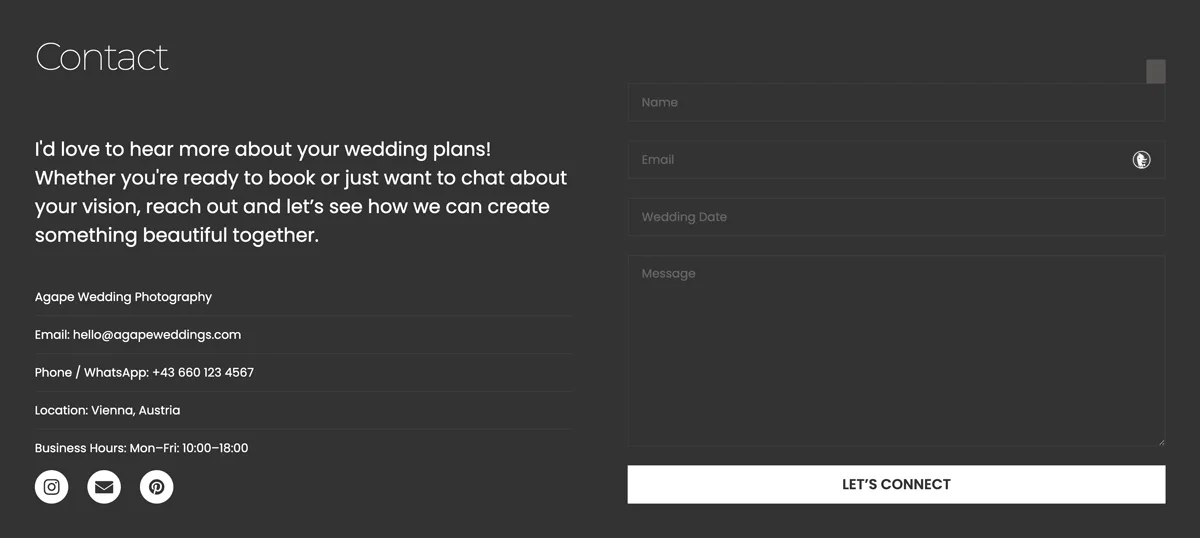
Here you will find secondary navigation, contact information, social links, copyright information, privacy policy, terms and conditions, or a newsletter sign-up form.
Contact or Conversion Element
This is often part of the footer section. You can simply list your contact details or use a contact form with a booking button. Some websites include newsletter sign-ups or inquiry forms here. Another option is to use a third-party service where visitors can directly book your services or consultations through an online calendar.
Not every website needs a classic contact form. The best solution depends on what you want visitors to do and what type of website you are building. Your web design style can also influence how these elements are presented.
Which Website Elements Increase Trust?
Trust is important when visitors are deciding whether to buy from you, contact you, book a service, or simply spend more time on your site. Some website elements can make a site feel more credible and transparent, but they should support real information rather than create artificial trust.
Here are some website elements that can help increase trust:
Testimonials and Reviews
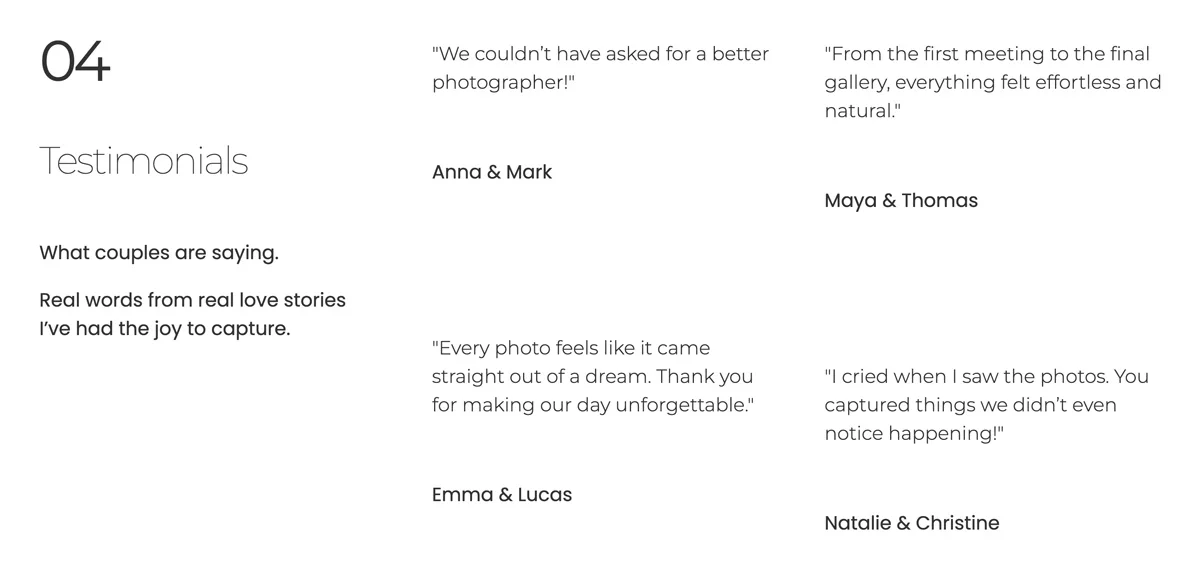
Testimonials show that other people have used your product or service and had a positive experience. However, you should not add fake testimonials just to make a new website look established. If you are starting out, you can ask your first clients or customers for honest feedback after completing a project or purchase. With their permission, you can turn useful feedback into a short testimonial for your website.
Client or Partner Logos
If you have worked with recognizable companies, publications, organizations, or other professionals, displaying their logos can provide additional context about your experience. Only use logos when you have a genuine connection with the company or organization.
Portfolio and Case Studies
For designers, photographers, developers, and other creative professionals, showing real work can be more convincing than simply claiming that you are experienced. A portfolio can demonstrate your skills, while a case study can explain what you did, what problem you solved, and what the result was.
About and Contact Information
A clear About section and accessible contact information can make a website feel more transparent. Depending on the type of business, this could include your name, location, business details, professional background, email address, or other relevant information.
Policies and Security Information
E-commerce and service websites may also need privacy policies, terms and conditions, refund information, shipping details, or secure payment information. These elements answer practical questions before a visitor decides to buy or share their information.
You do not need to use all of these elements. Choose the ones that make sense for your website and provide information you can genuinely support.
Interactive Website Elements
Interactive website elements allow visitors to do something on a page instead of simply reading or viewing its content. They can help users navigate, search, submit information, explore content, or interact with products.
Some common interactive website elements include:
Buttons and Links
Buttons and links are some of the simplest interactive elements. They can take visitors to another page, open a resource, start a download, submit a form, or trigger another action. Their appearance and wording should make it clear what will happen when someone clicks them.
Forms
Contact forms, inquiry forms, newsletter sign-ups, and registration forms allow visitors to submit information. Keep forms as simple as possible and only ask for information you actually need.
Search Fields
A search field can help visitors find specific information, especially on blogs, online stores, directories, and content-heavy websites. A small portfolio or landing page may not need one at all.
Sliders, Carousels, and Galleries
These elements let visitors browse multiple images, products, projects, or other pieces of content without displaying everything at once. They can be useful when space is limited, but they should not make important information harder to find.
Accordions, Tabs, and Dropdowns
These elements can hide secondary information until the visitor chooses to open it. They can help reduce visual clutter, particularly on pages with FAQs, specifications, or large amounts of supporting information.
Interactive Effects
Hover effects, animations, scroll effects, and other micro-interactions can provide visual feedback or make a website feel more dynamic. However, they should support the experience rather than distract visitors or slow down the site.
The best interactive elements are not necessarily the most complicated ones. Before adding one, consider what problem it solves and whether visitors actually need to interact with it.
Ecommerce Website Elements
E-commerce websites need some additional elements that allow visitors to browse products, make purchasing decisions, and complete a transaction. Common e-commerce website elements include:
- Product cards with images, names, prices, and links to product pages
- Product pages with descriptions, images, prices, and relevant details
- Shopping cart where visitors can review their selected products
- Checkout where customers enter the information needed to complete a purchase
- Payment options that allow customers to pay for their order
- Product filters and search that help visitors find specific products
- Reviews and ratings that can help customers make purchasing decisions
However, not every website builder has built-in e-commerce functionality. For example, Carrd does not provide a native shopping cart or checkout system. If you want to sell products through a Carrd website, you generally need to connect an external service or use buttons with external links that take visitors to a separate checkout or product page.
This is also something to consider when choosing website elements for your site. You may know that you need a way to sell products, but the platform you use can determine which elements you can build directly and which require third-party services.
How to Choose the Right Website Elements
The right combination depends on the purpose of your site, your audience, and what you want visitors to do.
Start by asking a few simple questions:
- What is the main purpose of the website? A portfolio, online store, blog, service website, and landing page will need different elements.
- What should visitors do? Decide whether you want them to make a purchase, contact you, book a service, read your content, or view your work.
- What information do they need? Add elements that help visitors find and understand the information that matters to them.
- Does the element serve a purpose? Avoid adding elements simply because they look good or are available in your website builder.
Also consider the platform you are using. Some website builders have certain elements built in, while others require third-party tools or integrations.
A good website does not necessarily have more elements. It has the right elements in the right places.
Website Elements Names List
Website design uses many different terms for individual elements and sections. Some names are obvious, while others can be confusing when you are looking for a specific feature in a website builder. Here is a quick list of common website element names and what they usually refer to.
| Website Element | What It Means |
|---|---|
| Header | The top section of a website, usually containing the logo and navigation. |
| Navigation Menu | Links that help visitors move between the main pages of a site. |
| Logo | A visual mark or name that identifies a brand, business, or website. |
| Hero Section | A prominent introductory section, usually near the top of a page. |
| Heading | A title that introduces a page or section of content. |
| CTA | A button or link that encourages visitors to take a specific action. |
| Image | A visual element used to support content, branding, or navigation. |
| Icon | A small graphic that represents an action, feature, or piece of information. |
| Link | A clickable element that takes visitors to another page, section, or resource. |
| Button | A clickable element that triggers an action or takes visitors somewhere. |
| Search Field | An input that allows visitors to search for content on the site. |
| Breadcrumbs | Navigation links showing where the visitor is within the site’s structure. |
| Form | Fields that allow visitors to submit information. |
| Gallery | A collection of images or other visual content displayed together. |
| Carousel / Slider | An interactive element that lets visitors browse multiple items in the same space. |
| Accordion | A collapsible element that reveals additional content when clicked. |
| Tabs | An element that separates related content into clickable categories. |
| Testimonial | A customer’s or client’s statement about their experience with a product or service. |
| Social Proof | Content showing that other people trust, use, or recommend a product or service. |
| Footer | The bottom section of a website, often containing secondary links and legal information. |
| Product Card | A compact display of a product, usually showing its image, name, and price. |
| Shopping Cart | An area where customers can review products they want to purchase. |
| Checkout | The part of an e-commerce site where customers complete their purchase. |
Find Inspiration for Specific Website Elements
If you are looking for inspiration for a specific website element, you do not always need to search for an entire website. Looking at individual elements can be a faster way to find ideas for layouts, interactions, typography, navigation, or visual details.
Here are some places where you can look for website element inspiration:
- Pinterest – useful for visual ideas, website layouts, buttons, typography, landing pages, and specific design details.
- Behance – a good source for polished web design projects, portfolios, branding, and more experimental layouts.
- Dribbble – useful for browsing individual UI elements, buttons, cards, navigation, dashboards, and other interface details.
- Awwwards – useful when you want to see complete websites and more experimental approaches to navigation, animations, scrolling, and interactions.
- Godly – a curated collection of modern websites, with plenty of examples of unusual layouts, typography, interactions, and visual effects.
- Land-book – useful for browsing landing pages and seeing how different sections and website elements are combined.
- Siteinspire – a gallery of selected websites that can be useful when looking for layout, typography, and navigation ideas.
- Mobbin – particularly useful for studying real interface patterns and flows from websites and apps.
- Refero – another useful resource for browsing interface patterns and seeing how common elements are used in real products.
When searching for inspiration, be specific about the element you need. Instead of searching for “website design”, try terms such as “website footer design”, “creative website navigation”, “portfolio contact section”, “404 page inspiration”, or “minimalist CTA button”.
You can also collect examples of individual elements rather than copying an entire website. Pay attention to how the element is positioned, what information it contains, how visitors interact with it, and whether it actually improves the experience.
The goal of design inspiration is not to recreate someone else’s website. Use different examples to understand what works, then adapt the ideas to your own content, brand, and website goals.
Final Thoughts
Website elements help visitors navigate your site, understand your content, interact with your pages, and take action. The right elements depend on your website’s purpose, audience, and platform. You don’t need to use every element available, so focus on the ones that actually support your goals. Use the list and inspiration sources in this guide to find ideas and build a website that works for you.