
Carrd is a simple website builder with some basic SEO tools. Carrd SEO can help make your site more visible in search results. Some SEO tools are limited compared with those available in builders like WordPress. In this tutorial, you will learn how to set up and optimize Carrd SEO and what limitations you should be aware of.
Is Carrd Good for SEO?
Carrd offers some basic SEO capabilities that can help your website appear in search results. However, the platform itself will not improve your rankings. Carrd focuses mainly on one-page websites, which means you generally have one page to optimize for search engines. Although Carrd allows you to divide a page into sections and show only specific sections, this does not provide the same SEO benefits as having separate pages.
I have also found someone developing an SEO tool for Carrd, but I have not tested it yet. On the other hand, a one-page Carrd site has many of the same SEO possibilities as any other one-page website.
Carrd SEO Capabilities
Carrd SEO allows you to use the following settings and features that can help optimize your site:
- Page title
- Meta description
- URL
- Headings
- Image alt text
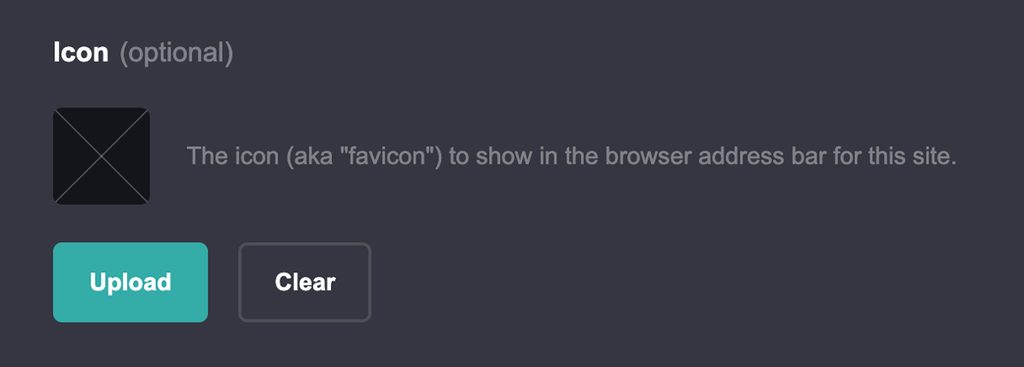
- Favicon
- Custom domain
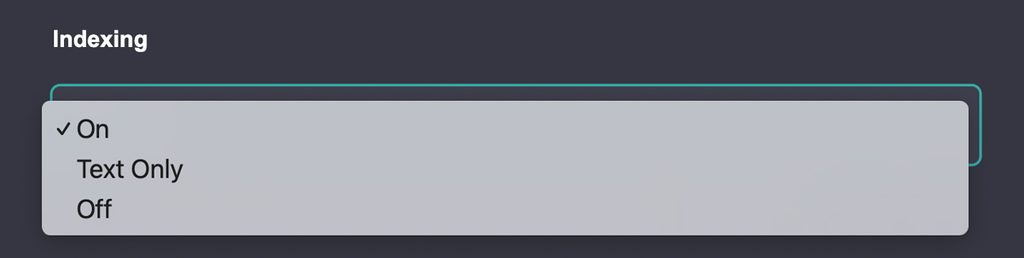
- Indexing (on, off, text only)
- Canonical URL (Pro Plus feature)
- Redirects (Pro Plus feature)
- Meta tags (Pro Standard or higher)
- Custom code (Pro Standard or higher)
Carrd SEO Settings You Should Configure
Here are some basic Carrd SEO settings you should configure when starting to optimize your site.
Write a Unique Page Title
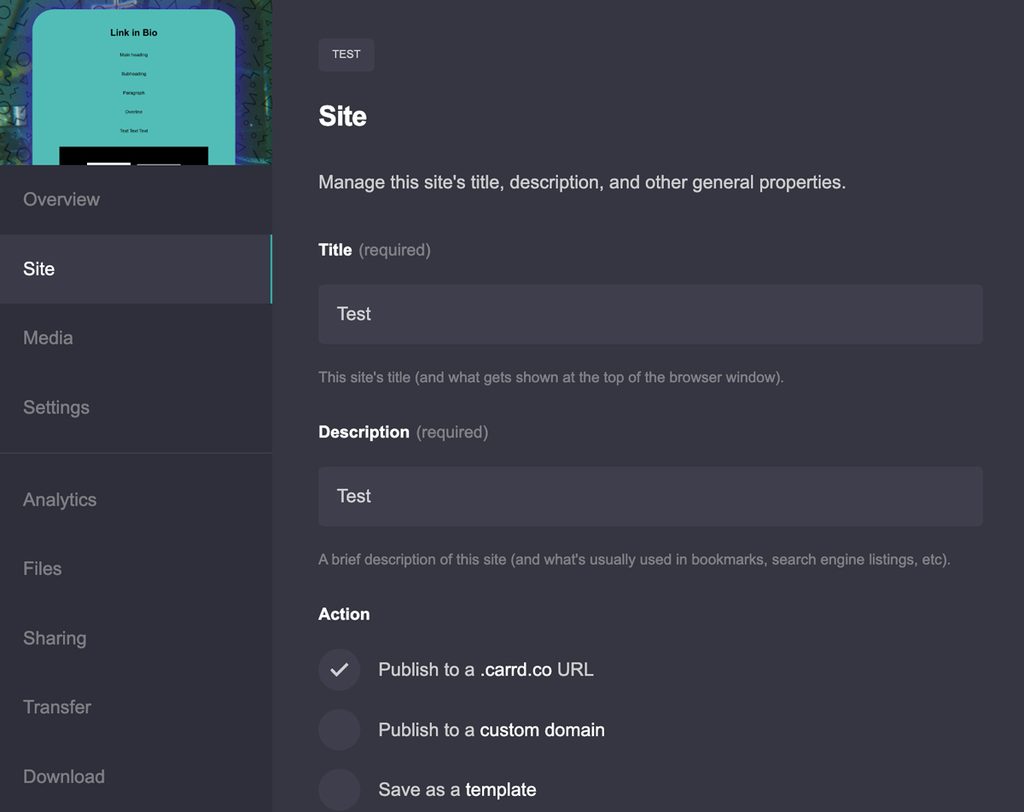
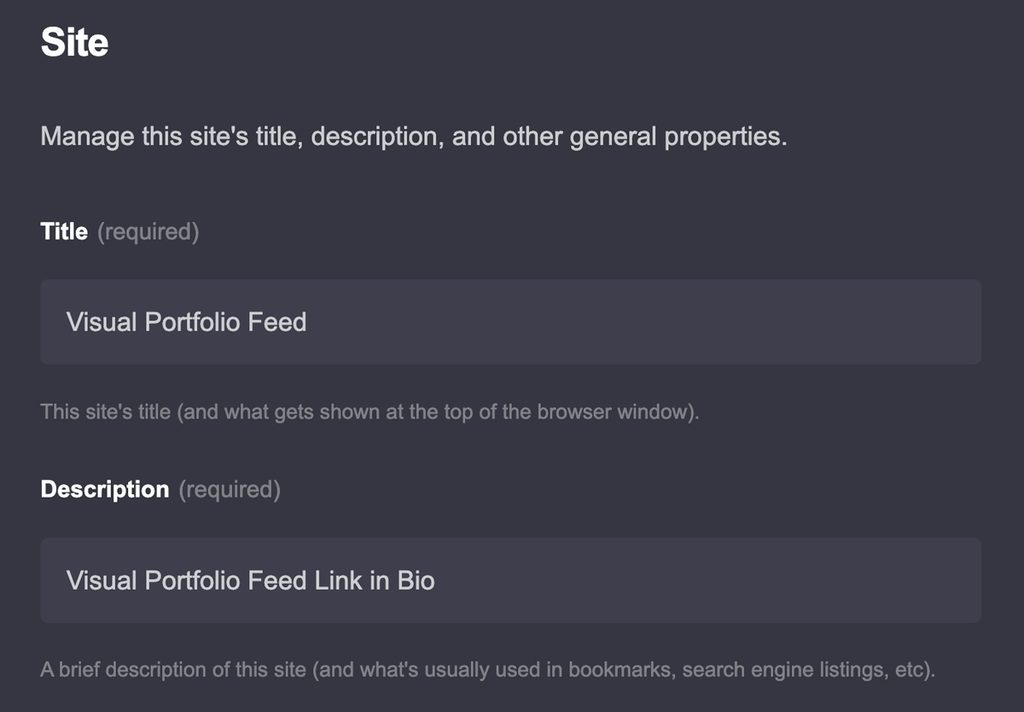
If you want to change your Carrd meta title and description, you need to access the settings for the specific site.

- Log in to your Carrd account and find the site you want to optimize on your dashboard. Each site has a set of icons. Find the one that says Manage when you hover over it.
- You should now see another screen with a menu on the left that starts with Overview.
- Click Site below it. On the right, you will see the settings for your site title and description.
Before you start optimizing your page, choose one primary keyword to target. You can use free tools such as Ahrefs for keyword research.
Create a descriptive meta title and, where it reads naturally, place your main keyword near the beginning. Aim for around 50–60 characters, although this is a guideline rather than a strict limit. Google may display a shorter or longer title depending on the search query and device.
Add a Meta Description
Under the meta title, you can add your meta description. Include the same primary keyword when it fits naturally, preferably near the beginning of the description.
Aim for around 150–160 characters. This is not a strict maximum, as Google can rewrite or truncate the description depending on the search result.
Your meta description should briefly explain what the page offers and give people a reason to click.
Use Headings Correctly
You can now optimize the content on your page around the same primary keyword you used in your meta title and description.
There is no official minimum word count required for a page to rank in Google. Instead of trying to reach an arbitrary number of words, focus on providing enough useful and relevant content to satisfy the search intent.
This is especially important for one-page Carrd websites. If your site is targeting a specific search query, make sure the page provides enough information to properly cover the topic. For a simple portfolio or landing page, this may mean less text than for an informational article.
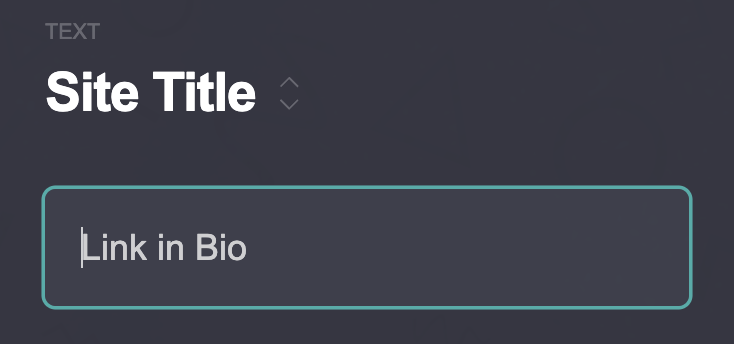
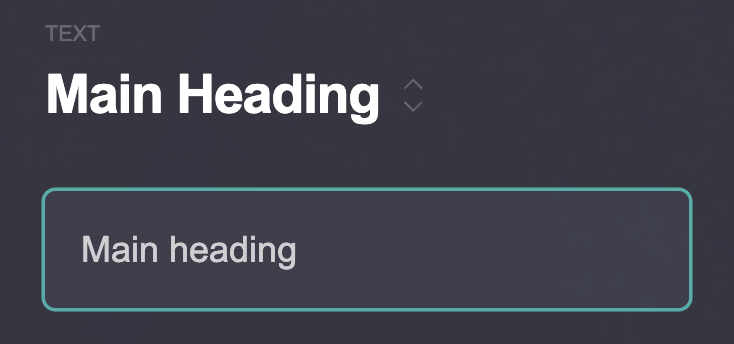
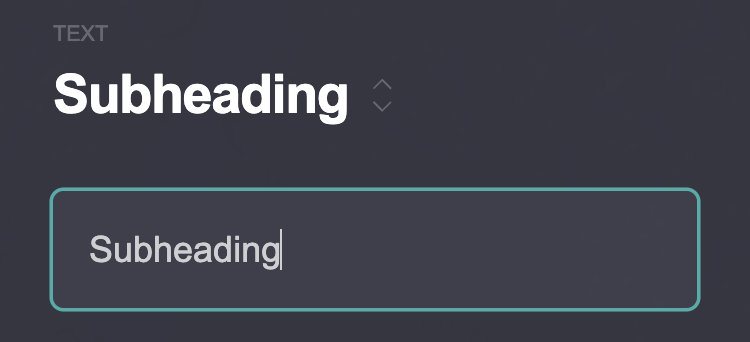
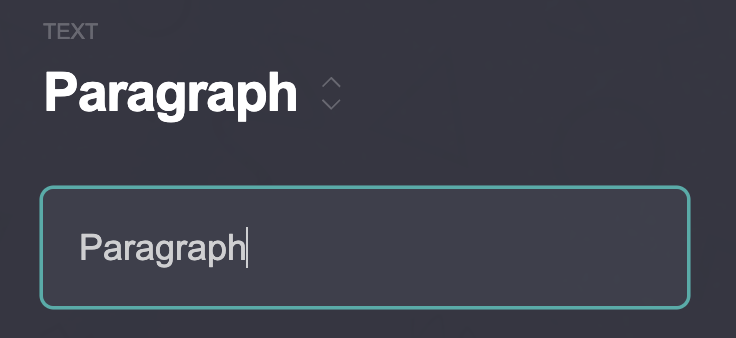
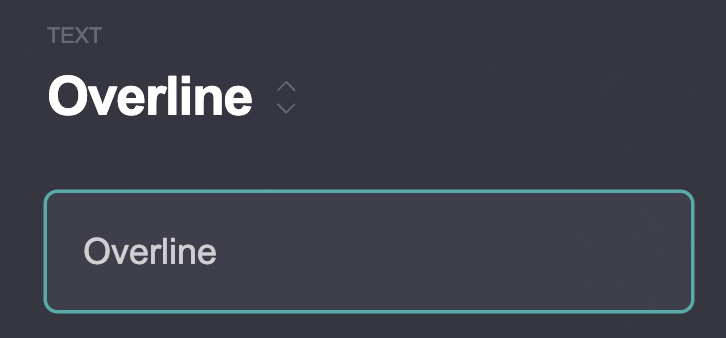
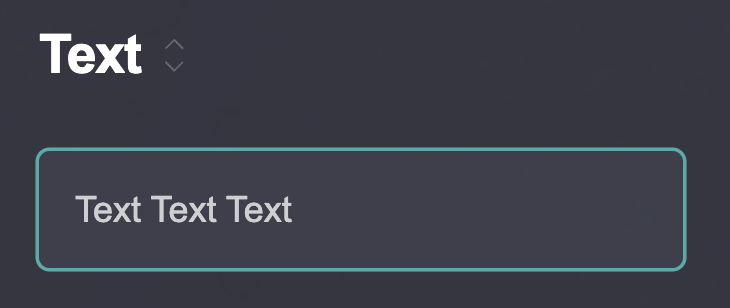
Carrd allows you to add a Text element, which you can use for headings as well as regular text. When optimizing your page, use your primary keyword and relevant variations naturally in headings and subheadings. Avoid adding the keyword to every heading just for SEO.
Here is how Carrd’s text elements are generally represented in the HTML structure:
- Site Title – H1
- Main Heading – H2
- Subheading – H3
- Paragraph – <p>
- Overline – <p>
- Text – <p>
Set a Custom Domain
Your domain can also be part of your overall SEO setup. If you are not using your official brand or business name, you can choose a descriptive domain, but you should not force a keyword into the domain simply for SEO.
It is a good idea to do some keyword and domain research before buying your domain and creating your site. Your domain should be easy to remember, relevant to your website, and suitable for your brand.
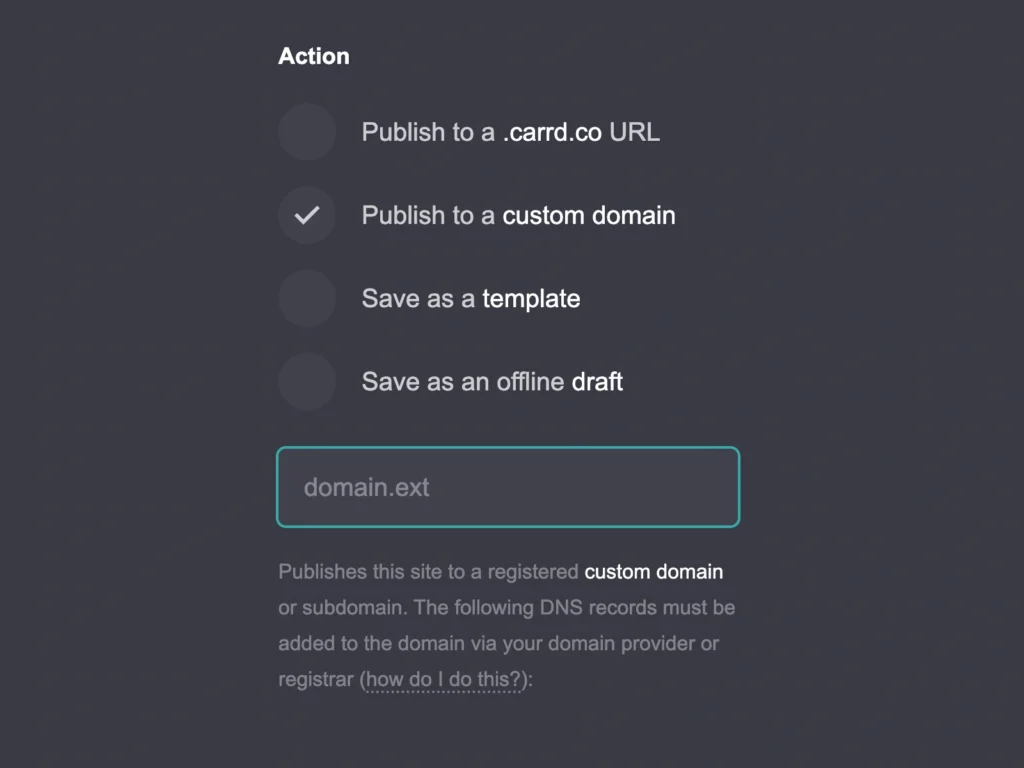
If you already have a custom domain, click Save in the top menu of the Carrd editor for the site you are editing. A new menu will appear on the left.
Scroll down to the Action section and choose the option to publish your site to a custom domain. Enter your domain in the dedicated field and configure the required DNS records with your domain provider.
For a typical custom-domain setup, Carrd requires your domain to point to your Carrd site. This usually involves adding an A record for the root domain (@) using the IP address provided by Carrd. You will also generally need a CNAME record that directs the www version of your domain to your main domain, such as domain.com.
The exact DNS values should be taken from the instructions shown in your Carrd account, rather than copied from another website, because the required values can change.
Optimize Your Carrd Content for Search
Once your basic Carrd SEO settings are configured, you can optimize the content on your page. The goal is not to repeat your keyword as many times as possible. Instead, make the topic clear, use relevant terms naturally, and create content that is useful for your visitors.
Choose One Primary Keyword
Start each page by choosing one primary keyword that describes its main topic. You can use keyword research tools such as Ahrefs to find relevant search terms and check their search volume and competition.
Your primary keyword should match the search intent of the page. For example, if you are creating a Carrd tutorial about adding images, “how to add images in Carrd” is more specific than simply targeting “Carrd.”
Once you have chosen your keyword, use it naturally in important parts of the page. These can include:
- SEO title
- Meta description
- URL
- Main heading
- Introduction
- Relevant subheadings
- Main body text
- Image alt text, when relevant
You do not need to use the exact keyword everywhere. Synonyms, related phrases, and natural variations can help you cover the topic without making the text sound repetitive.
Write Useful, Original Content
Your content should clearly explain the topic and provide something useful to the reader. Avoid creating text only to reach a particular word count or repeating the same keyword several times.
SEO tools such as Yoast (favorite SEO plugin for WordPress) can check things like keyphrase use, keyphrase placement, text length, subheading distribution, paragraph length, sentence length, and passive voice. These checks can be useful when reviewing your content, but they are guidelines rather than guarantees of better rankings.
For example, Yoast can flag whether your keyphrase appears in the introduction, SEO title, meta description, slug, and subheadings. It can also check whether your text is long enough for its analysis and whether your paragraphs and sentences are easy to read.
You can use a similar manual checklist when optimizing a Carrd page:
- Does the introduction make the topic clear immediately?
- Does the primary keyword appear naturally in the introduction?
- Is the keyword used in relevant headings?
- Does the page provide enough useful information for the topic?
- Are paragraphs reasonably short and easy to scan?
- Are sentences clear and easy to understand?
- Are you using synonyms and related terms naturally?
- Does the page answer the search intent?
For a simple portfolio or landing page, you may not need hundreds of words. An informational Carrd page targeting a specific search query will usually need more substantial content.
Add Internal Links
Internal links connect one page of your website to another. They help visitors navigate your site and can also help search engines discover and understand the relationship between your pages.
For example, if you have a Carrd website with separate pages for your Portfolio, About, and Contact, you can link between these pages where it makes sense.
Use descriptive anchor text instead of generic phrases such as “click here.” The link text should give the visitor an idea of what they will find on the destination page.
For a single-page Carrd website, however, traditional internal linking is more limited. You can still use links to move visitors between sections of the page, but these are not the same as links between separate HTML pages. If your website grows into a larger content site, having separate pages (and different site builder) can give you more opportunities to build an internal linking structure.
Carrd SEO and Images
Image optimization can easily be overlooked when working on Carrd SEO. The same thing happens with WordPress and other website builders, so it is worth checking whether your images have descriptive alt text and reasonable file sizes.
Add Descriptive Alt Text
Alt text is primarily useful for people who use screen readers or when an image cannot be displayed. It describes the content or purpose of an image and can also help search engines understand what the image shows.
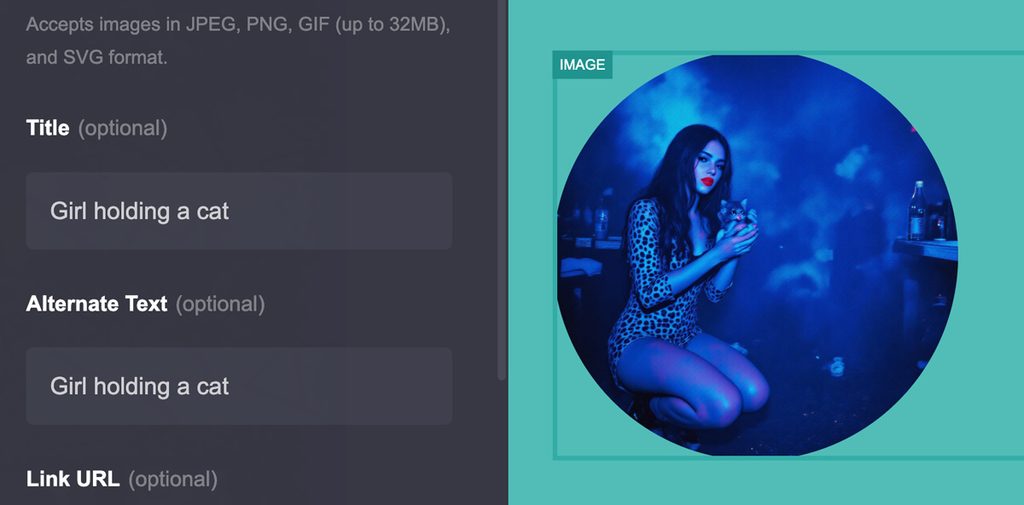
To add alt text to an image in Carrd, click the Image element on your page.
In the left menu, you will see Title, Alternate Text (optional), and Link URL. The same structure and order applies to the image settings inside the Gallery element.
Write a short and descriptive alt text that explains what is actually shown in the image. If the image is purely decorative and does not provide useful information, you do not need to add keywords just for SEO.
For example, instead of:
image of a building
you could write:
brutalist apartment building in Bratislava
Avoid filling alt text with keywords that are not relevant to the image. The goal is to describe the image naturally, not to use it as another place to repeat your primary keyword.
Compress Your Images
Large image files can slow down your website, especially if you are creating a photography portfolio or using several large images on one Carrd page.
Carrd supports image formats including JPG, PNG, GIF, and SVG. Other website builders, including WordPress, can also support modern image formats such as WebP. WebP can often provide smaller file sizes than JPG or PNG while maintaining good visual quality, although the best format depends on the type of image.
Before uploading images to Carrd, resize them to a suitable display size and compress them where possible. You do not need to upload a 5000-pixel-wide original photograph if it will only appear at a much smaller size on your website.
You can optimize images using photo editing software such as Photoshop or Lightroom, or use online compression tools such as TinyPNG, Squoosh, or iLoveIMG. Some of these tools offer free image compression with limits or optional paid features.
For photography-heavy Carrd sites, image optimization can make a noticeable difference to page loading performance. Check the result after compression and make sure the file is still sharp enough for its intended display size.
Carrd SEO Performance: Does Page Speed Matter?
Page speed is another part of Carrd SEO that you should pay attention to. A fast website provides a better experience for visitors and can also help with Google’s page experience signals. Carrd itself is designed to create lightweight websites, but the elements you add to your page can still affect how quickly it loads.
Optimize Image Size
Images are one of the most common reasons why a visually attractive website can become slow. This is especially relevant for photography portfolios, where you may want to display many large, high-resolution images.
Before uploading an image to Carrd, resize it to a reasonable display size and compress the file. Avoid uploading the original camera file or an unnecessarily large image when a smaller version would look identical on the page.
You can return to the image compression tools mentioned in the previous section if your files are too large.
Be Careful With Embeds
Third-party embeds can add extra requests and scripts that your Carrd page needs to load. This can include videos, maps, social media posts, booking widgets, forms, analytics tools, and other external services.
An embed may therefore affect loading performance even if the rest of your Carrd page is simple.
If you do not need an embed to appear immediately, consider whether you can replace it with a simple link, image, or button. This can reduce the amount of content that needs to load when someone first opens the page.
Check Custom Code and Scripts
Custom code can add functionality to a Carrd website, but third-party scripts can also affect performance. Analytics, chat widgets, animations, cookie tools, advertising scripts, and other integrations may require additional resources to load.
If you have added custom code to your Carrd site, check whether you actually need every script. Remove anything that is no longer being used and avoid adding multiple tools that perform the same function.
Limit Heavy Animations
Animations can make a Carrd website more visually interesting, but too many effects can make the page more demanding to load and use.
Large animated backgrounds, video sections, parallax effects, and multiple moving elements can be particularly noticeable on mobile devices. Use animation where it adds something to the design rather than applying an effect to every section.
Consider Mobile Performance
A page that loads quickly on a desktop connection may behave differently on a phone or slower connection. Check your Carrd website on mobile and pay attention to large images, videos, embeds, animations, and other interactive elements.
Your visitors should be able to see the main content and use important buttons without waiting for every element on the page to finish loading.
Test Your Page Speed
You can test your Carrd website with tools such as Google PageSpeed Insights or Lighthouse. These tools can show potential performance issues and give you recommendations for improving loading speed.
Do not focus only on achieving a perfect score. Look at the specific problems the tool identifies and decide which changes will have the most practical effect on your website.
How to Check Your Carrd SEO
Once you have optimized your Carrd website, it is useful to check whether search engines can find and understand your page.
Check Your Heading Structure
Before publishing your Carrd site, check whether your headings have a clear hierarchy. For a simple page, it is usually a good idea to have one main H1 that describes the page topic, followed by H2 and H3 headings for different sections.
You can check the HTML structure by right-clicking on the page and selecting Inspect. You will need to publish the page for this inspection and make it public. This opens your browser’s developer tools, where you can search the HTML for <h1>, <h2>, and <h3> elements. If this looks too technical, you can also use a browser extension or an online heading checker.
Pay particular attention to your H1. Avoid creating multiple H1 headings accidentally, and make sure your main page topic is represented clearly in it.
Check Your Page in Google Search
Search for site:yourdomain.com in Google to see whether your page has been indexed. You can also search for your brand or target keyword and check how your page appears in the results.
Use Google Search Console
Google Search Console can show you useful information about your Carrd website, including:
- Whether your page is indexed
- Search queries that bring visitors to your site
- Impressions
- Clicks
- Click-through rate
- Average position
- Indexing issues
Check Your Page Speed
Use tools such as Google PageSpeed Insights or Lighthouse to check your loading performance. Pay particular attention to large images, embeds, custom scripts, animations, and mobile performance.
Carrd SEO Limitations You Should Know
The biggest limitation is Carrd’s focus on one-page websites. You can create multiple sites and use sections within a page, but sections are not the same as separate pages. This gives you fewer opportunities to target different search queries with dedicated URLs and content.
Other limitations include:
- Limited content management compared with platforms designed for larger websites
- Fewer advanced SEO options
- Less flexibility for large-scale internal linking
- Limited blogging functionality
- Fewer built-in options for advanced structured data and technical SEO
- Some advanced functionality may require custom code or a higher Carrd plan
This does not mean that Carrd cannot rank in search results. A well-optimized Carrd website can still have a clear structure, relevant content, descriptive metadata, optimized images, and a custom domain.
For portfolios, landing pages, personal websites, and small business sites, these limitations may not be a major issue. They become more important if you plan to publish a large amount of content or target many different search queries. In such cases, you might consider using different builders such as Framer or WordPress.
Final Words
Carrd SEO does not require dozens of complicated settings. Start with a clear primary keyword, optimize your title and meta description, structure your headings, write useful content, and optimize your images. Keep your page fast and check its performance regularly. Carrd has some SEO limitations, but for a simple and small websites, its available tools can cover many of the basics.
Carrd also includes more advanced SEO options such as canonical URLs, meta tags, and redirects on paid plans, but you do not need to worry about these when you are just starting out. This tutorial focuses on the essential Carrd SEO steps and is designed to be beginner-friendly.